
This page contains Amazon affiliate links. As an Amazon Associate, we earn from qualifying purchases – the price doesn't change for you. Learn more
If you spend many hours each day typing and using a mouse, you quickly notice what is poorly made or annoying in the long run. Two devices make the biggest difference.
Why You Should Switch
A rubber dome keyboard can noticeably wear out over time, which affects responsiveness. With mice, the clicking sound in the office can be disruptive over time, especially when multiple people are working simultaneously.
The Mechanical Keyboard: Tactile Typing Feel, Quiet in Operation
Mechanical keyboards offer a tactile typing feel and are often more durable than rubber dome models. The Keychron K2 Pro is available, for example, with brown switches that provide noticeable feedback when typing without clicking loudly. It is programmable with QMK/VIA, allowing for individual customization of key assignments. When purchasing, pay attention to the German ISO layout. The keyboard is both wireless (Bluetooth 5.1, up to 3 devices) and wired (USB-C).
The Quiet Mouse: Comfort and Precision
The Logitech MX Master 3S clicks quietly and has a fast MagSpeed scroll wheel that quickly scrolls through long lists and documents. The optical sensor with up to 8,000 dpi is precise enough for most office applications. It switches between three devices with the press of a button. Note that the successor MX Master 4 is already available.
What Makes Sense to Replace First
If you only want to exchange one of the two devices, the mouse is a good place to start. The difference in your workday, especially in shared rooms, is immediately noticeable. A mechanical keyboard is especially worthwhile if your old keyboard already shows signs of wear.
Products mentioned in this post

Keychron K2 Pro
Compact mechanical 75% keyboard, wireless or wired, freely programmable.
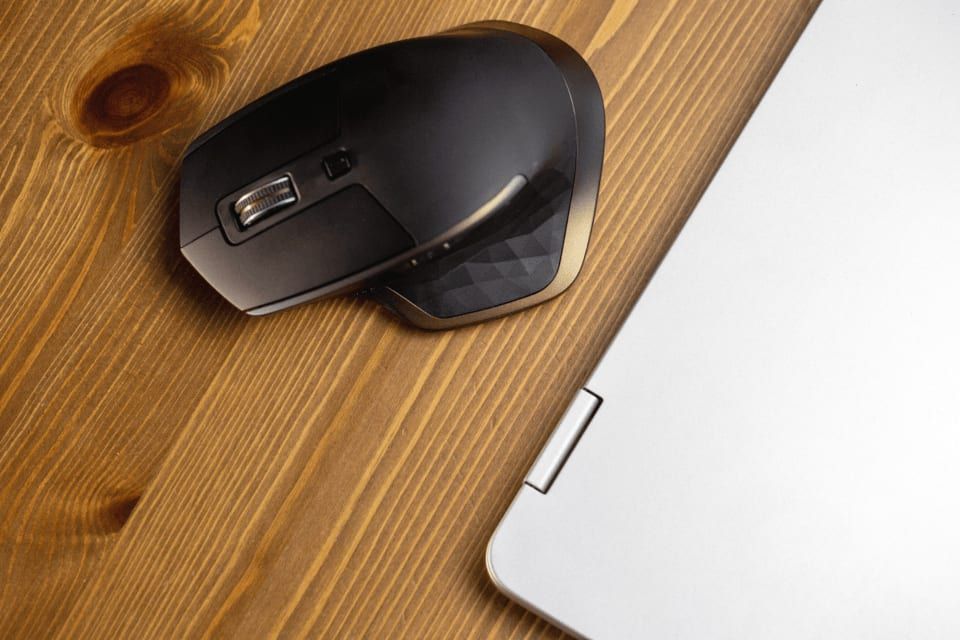
Logitech MX Master 3S
Ergonomic office mouse with quiet clicks, MagSpeed scroll wheel, and up to 70 days of battery life.
You might also like
All posts in this category
Keyboard Switches Explained: Blue, Red, or Brown?
A buying guide to mechanical keyboard switches: Learn what's behind the terms linear, tactile, and clicky, and which switch types are best suited for which purpose.
Learn more
How We Select Products – and What We Don't Claim
The criteria we use to select products for the BNT Onlinestore, where our information comes from, and how we make money with Amazon links.
Learn more